SABRE Administration Console
The Administration Console An operations web console that allows batch jobs to be scheduled, run manually and monitored. The console also provides for viewing and modification of business and user applicable system configuration. provides an operator with an interactive environment for managing and configuring the SABRE server and the jobs, daemons and probes deployed to in functional modules.
Console users can, for example:
- Schedule jobs to run
- Run jobs on demand
- Set whether a job is to be automatically triggered
- View job, probe In the Administration Console architecture, a mechanism which allows for the execution of predefined queries and for the comparison of the results of those queries against pre-configured targets. Probes can be reviewed and managed via the Admin Console. and daemon A computer program that runs as a background process, rather than being under the control of an interactive user. status
- View execution details
- View all logs in order to investigate any issues
- Display an overview of system status
- View and change technical configuration
- View the output of probes.
The SABRE Administration Console runs in Spring Boot and includes a Business Configuration A module in the CMP Administation console that provides for viewing and modification of business and user applicable system configuration. link in the main menu allowing an operator to navigate directly to Configuration Centre provided access has been granted to the operator.
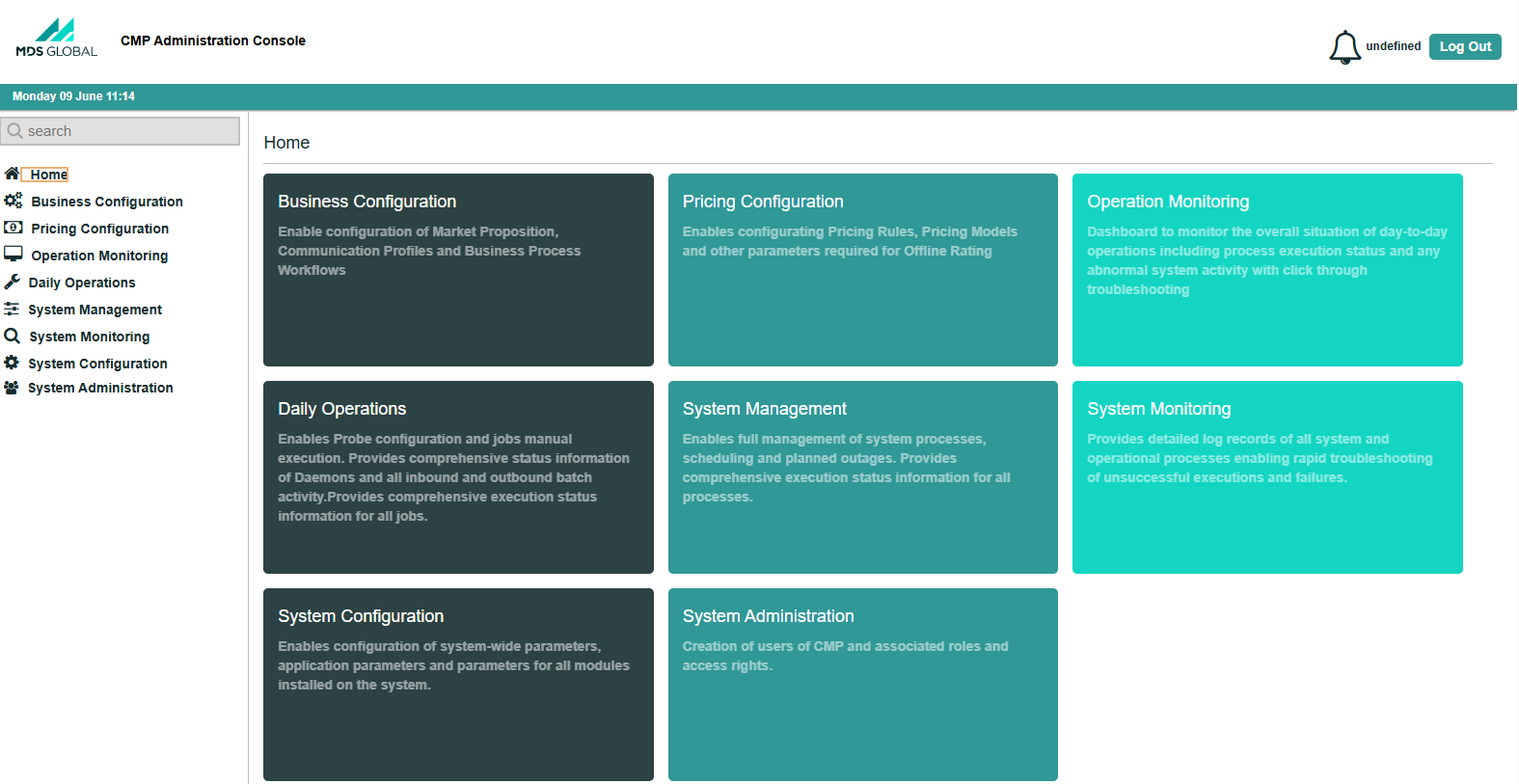
Administration Console User A person with the capability to log in to the CMP GUI software, such as a customer service advisor or agent. Interface
For more information on the SABRE Administration Console, see the Online Help provided with console.